
Frondi
Your plants, well looked after.
Frondi recognizes your plant from a photo, tells you when to water it based on your home and your city's weather, and measures light with the camera so every plant gets the right spot.
- Free with in-app purchases
- Sync and sharing
How it works
- 01
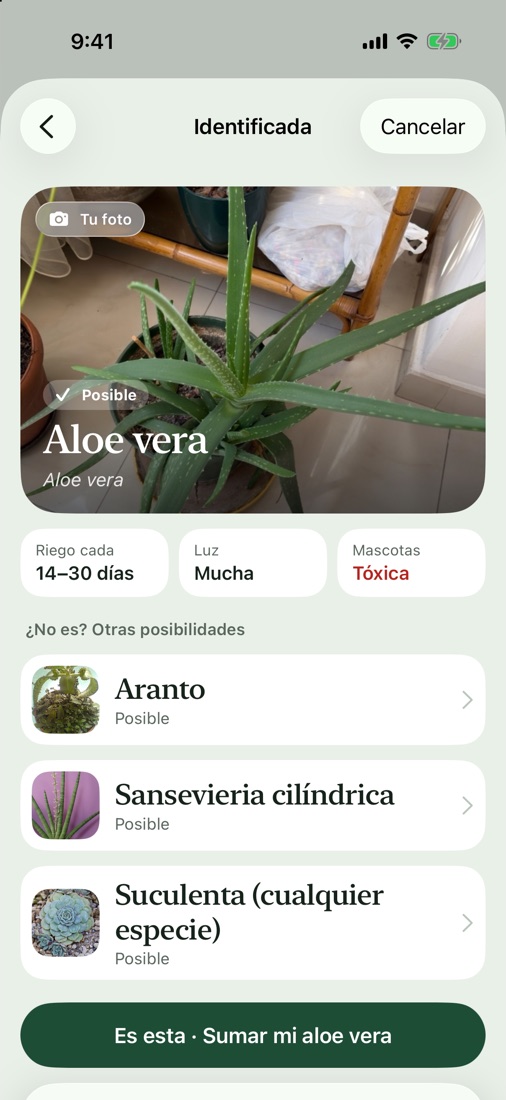
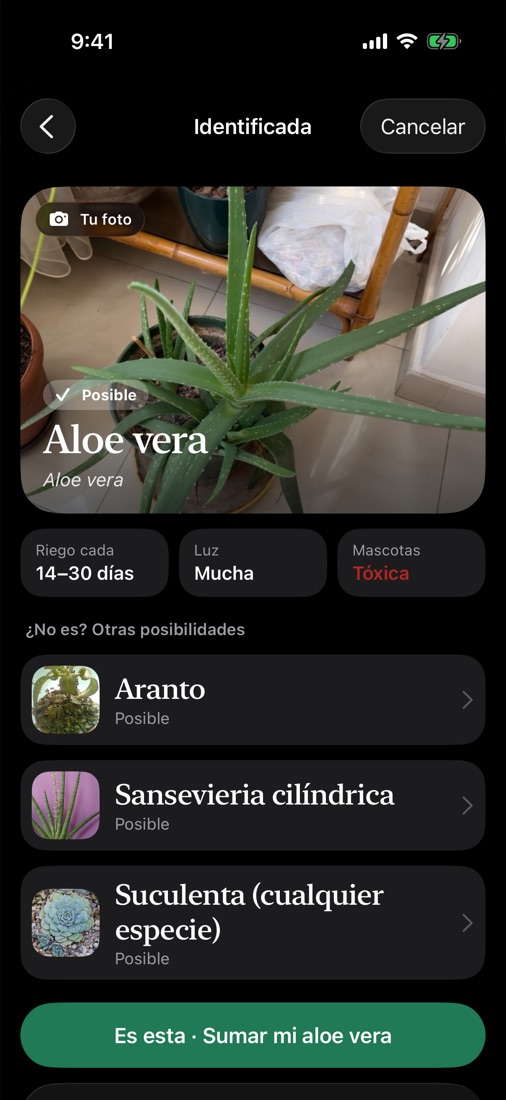
Take a photo, know your plant
Frondi recognizes your plant on your iPhone, offline, and shows you how to care for it. If it isn't sure, it asks for a close-up of a leaf.
- Over 300 indoor, balcony and kitchen-garden plants
- The photo never leaves your iPhone
- If there's no plant in the photo, it tells you
- 02
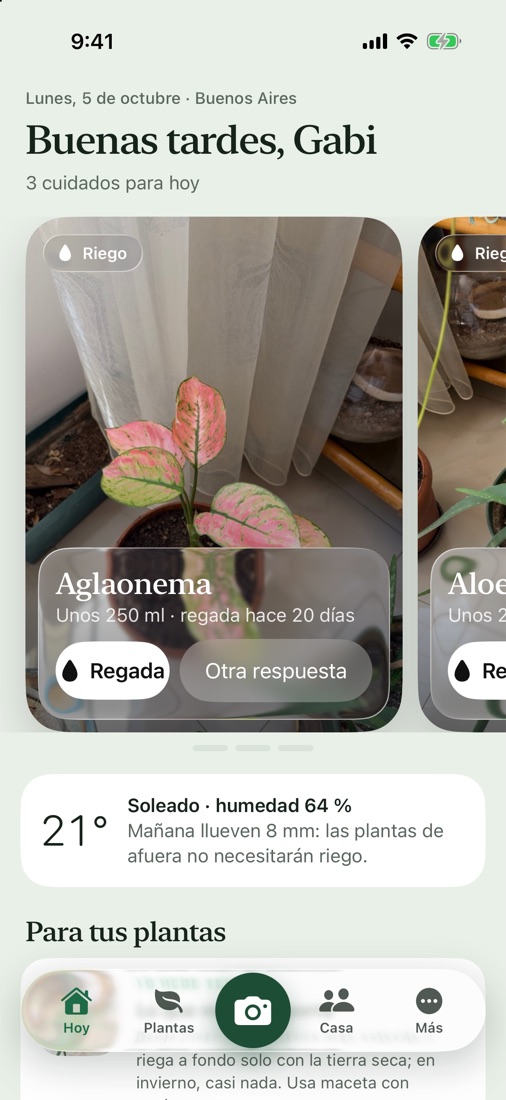
The right water, at the right time
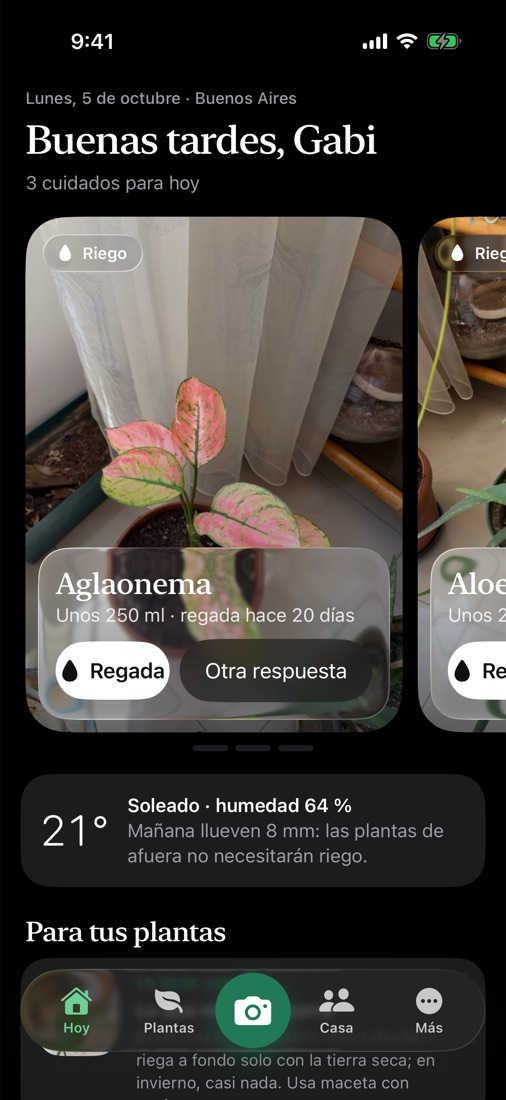
Every plant gets its own rhythm, adjusted to the season, the heat and the rain in your city. You just tell it whether you watered.
- More water in the heat, less in winter
- Learns from your answers: if the soil was still damp, it waits longer
- Tips for your plants for the time of year
- 03
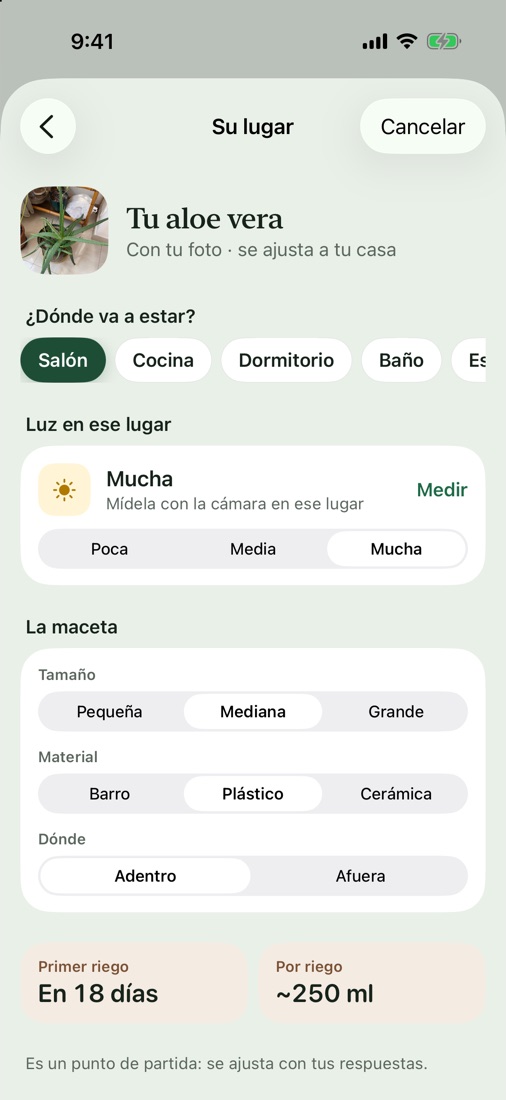
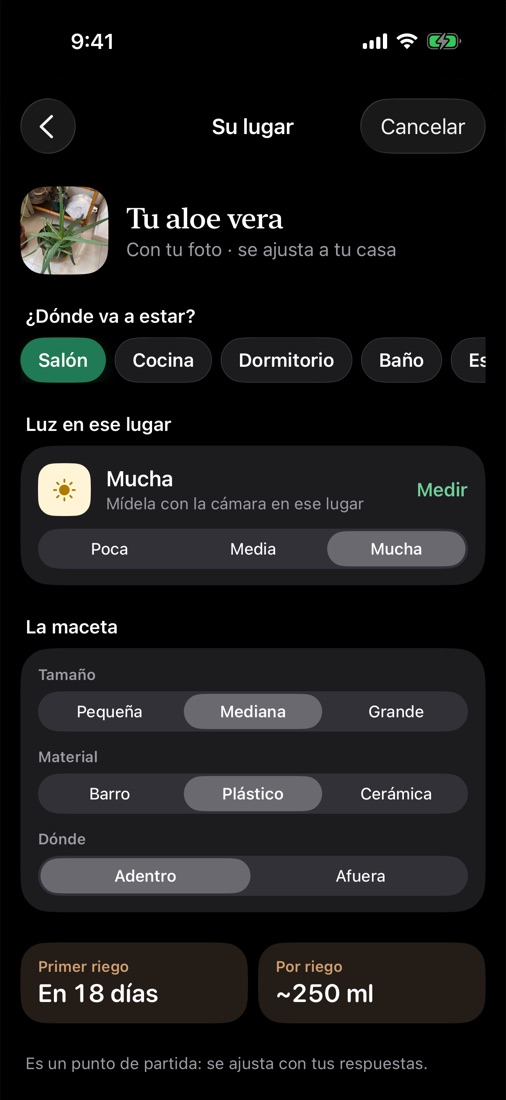
Measure light with the camera
Point at the spot where the plant will live and Frondi tells you whether it works, before it scorches or stretches toward the sun.
- Shade, medium, bright or direct sun
- Tells you if it's a good spot for that plant
- Watering adapts to its pot and its room
- 04
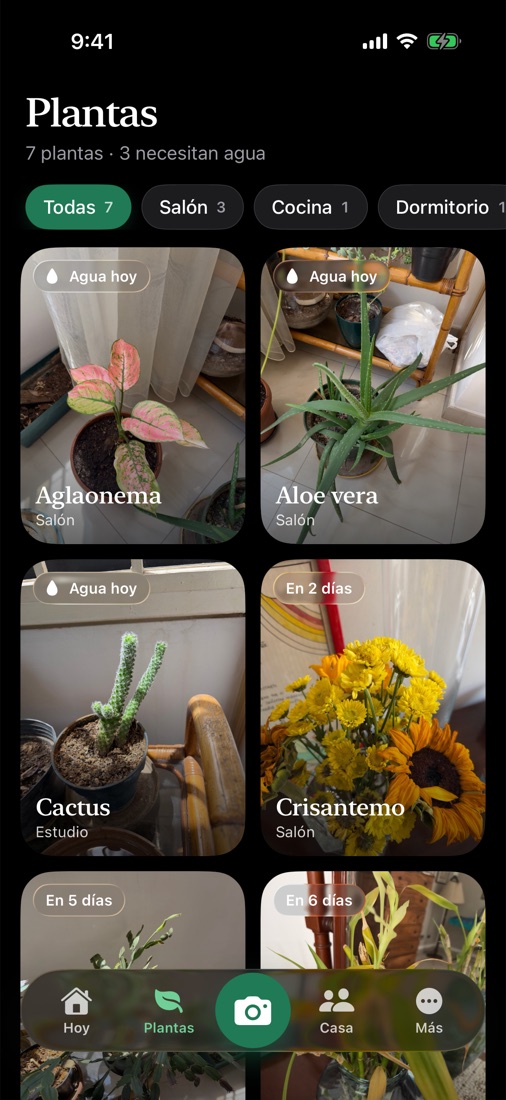
Your plants, with your photos
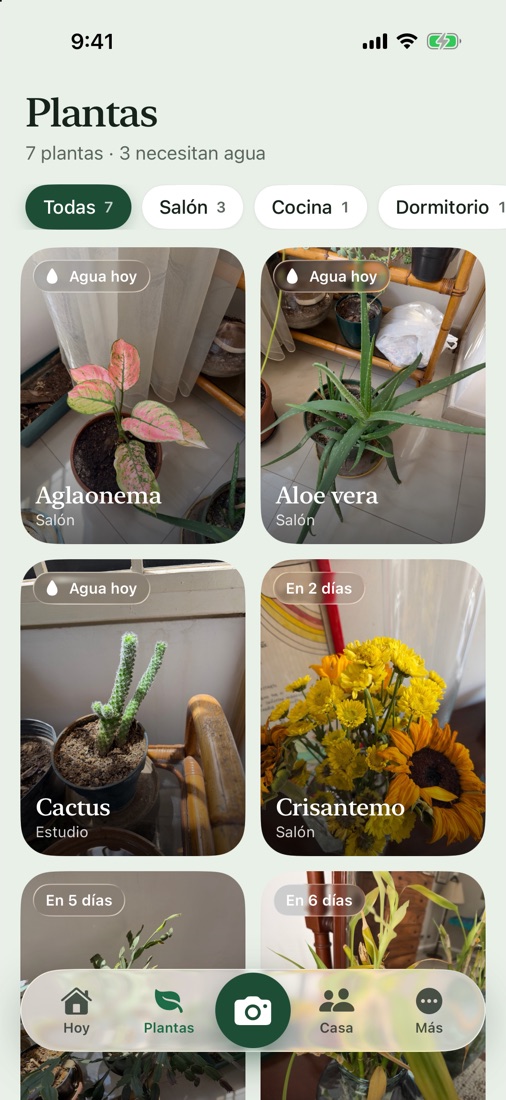
Every plant keeps the photo you took, not a catalog picture. So you can tell which one needs water at a glance.
- Filter by room
- Warns you if a plant is toxic to your pets
- Search by common or scientific name, in English or Spanish
- 05
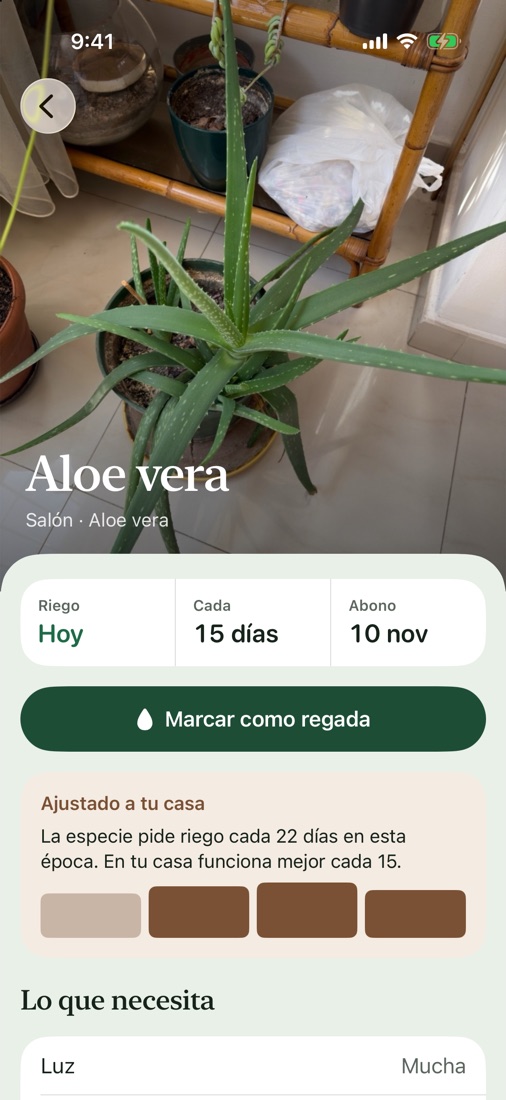
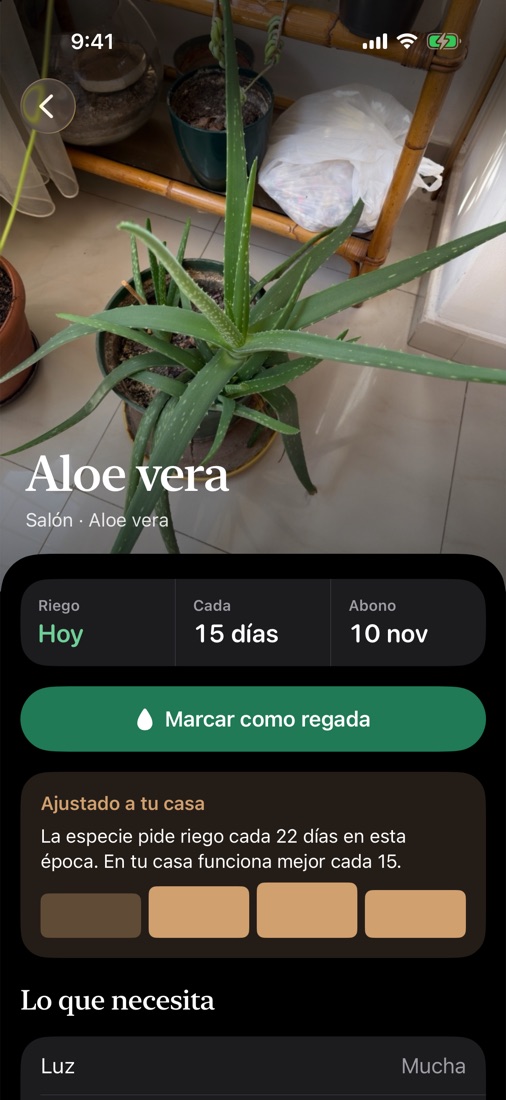
Everything it needs, on its page
Water, light, feeding, temperature and its care history. If something looks off, check its health with a photo.
- Health check with Apple Intelligence, on your iPhone
- Watering and feeding history
- Tips for that species
- 06
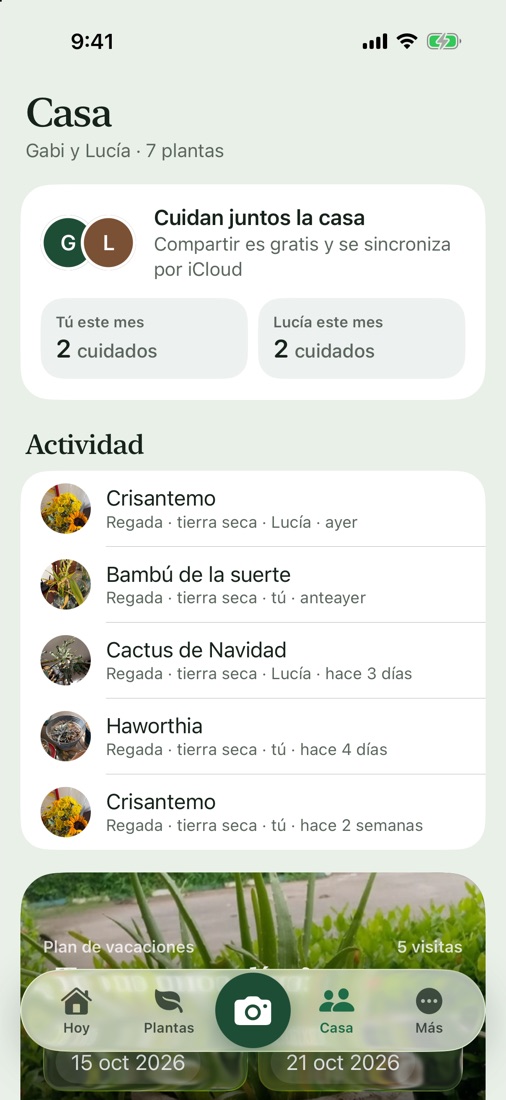
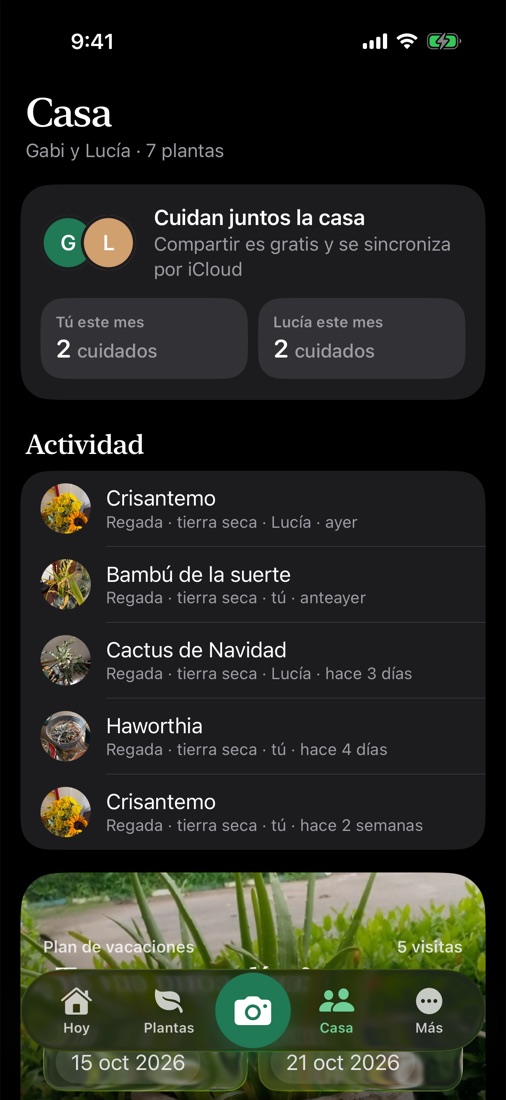
Care for your plants together
Invite the people you live with and share the watering. Going away? Make a plan for whoever looks after them.
- Shared through iCloud, no new accounts
- Who watered what, and when
- A vacation plan for your plant sitter
Details
- Price
- Free with in-app purchases
- Runs on
- iPhone, iOS 26 or later
- Languages
- English, Spanish
Do I need an account?
No. There's no sign-up. Your plants are stored on your iPhone and, if iCloud is on, in your private iCloud.
Does it work offline?
Yes. Recognizing plants, measuring light and tracking your watering work offline. Only your city's weather needs a connection.
What if it doesn't recognize my plant?
You can search for it by name among more than 300 plants, or add it as another plant of its group (succulent, tropical, fern…) and set the watering yourself.
Do my photos leave my iPhone?
No. Frondi recognizes plants and checks their health on your iPhone. Photos are only stored in your private iCloud if iCloud is on.
How do I share my plants with my family?
In the Home tab, invite anyone you like. The invitation arrives through iCloud and each person uses their own iPhone and Apple Account.
How do I delete my data?
Delete any plant in the app, or delete the app to erase everything on your iPhone. iCloud data is deleted in Settings, then your name, then iCloud.
Frondi is coming soon to the App Store.
Coming soon